DNS Record Types Explained

A Domain Name System (DNS) record is a set of instructions used to connect domain names with internet protocol (IP) addresses within DNS servers. DNS makes it possible for users to browse the internet with customizable domain names and URLs rather than complex numerical IP addresses.
The Role of DNS in the Internet World
📱 Phone Contacts Example
You save a name like “Mom” in your phone.
When you tap Mom, your phone automatically uses the number stored behind the name.
You don’t need to remember the phone number every time.
👉 DNS works the same way
You type google.com
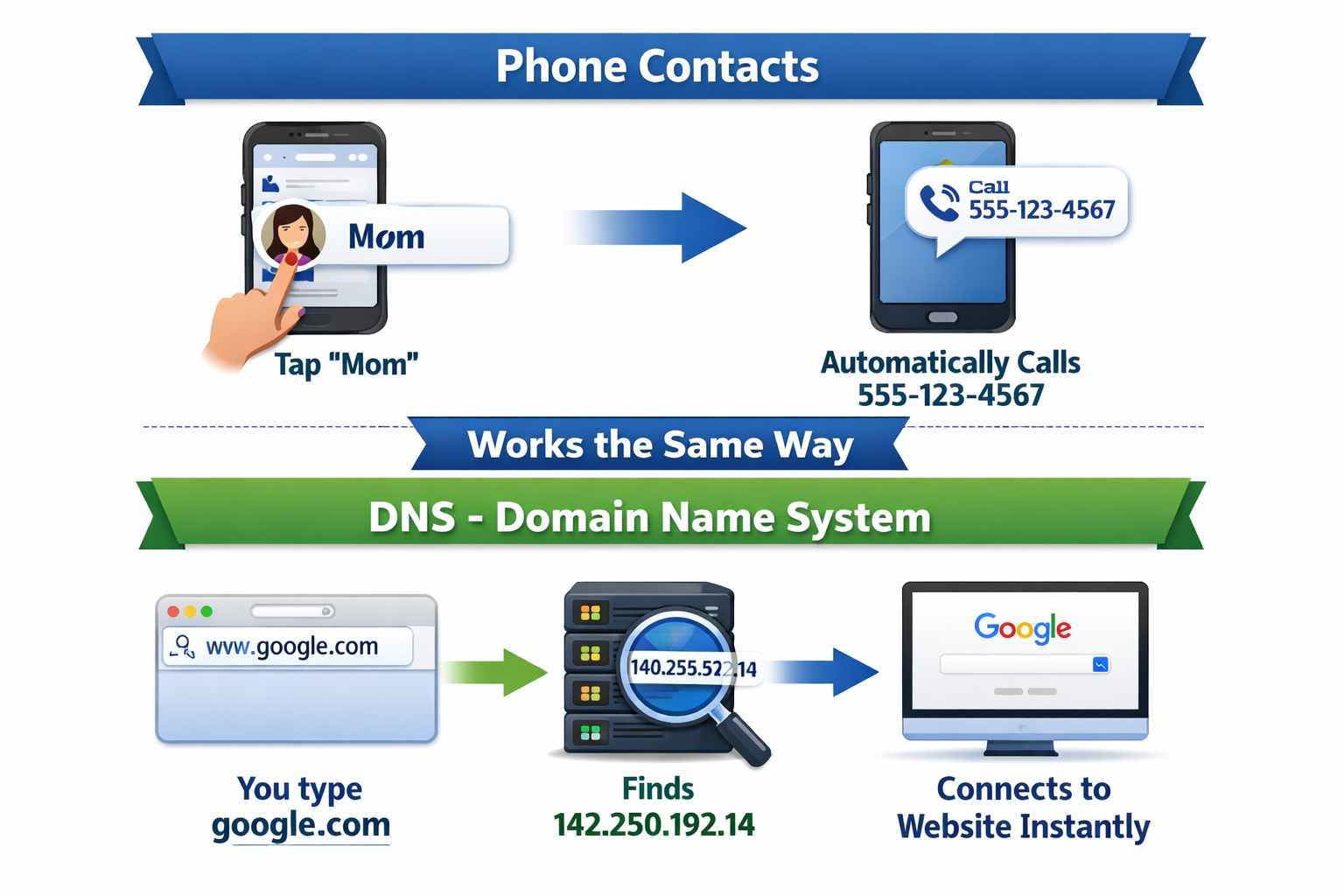
DNS finds the IP address (like
142.250.192.14)Your browser connects to the website instantly

Domain Name
A domain name is the name of your website, for example, google.com. It can either be purchased through a domain registrar or provided for free via a hosting provider. Domain names help make the internet easier to navigate as they are typically human-readable words and letters instead of long strings of numbers.

IP Address
An IP address is a unique group of numbers separated by full stops, which looks a little like this: 192.168.1.89. Each computer or server has its own IP address allowing them to communicate over the network. As machines are better at dealing with numbers, it just makes sense that they are identified that way. However, it can be difficult for us to remember a string of numbers every time we connect to the internet.
DNS Server

DNS Servers are computer servers specifically used to translate domain names to IP addresses, making it possible for DNS clients to reach the origin server.
DNS Hosting Service

A DNS hosting service is responsible for running DNS servers. They typically include domain name registrars who offer their hosting services with registration.
Why is DNS Important?
For many of us, connecting to the internet is as easy as striking a few keys on your keyboard or tapping on some letters on your smartphone. We can connect to a seemingly endless amount of internet services within seconds. That's all thanks to DNS.
DNS ensures the internet is not only user-friendly but also works smoothly, loading whatever content we ask for quickly and efficiently. It's one of the cornerstones of how the internet operates. Without it, we'd be stuck memorizing long lists of numbers (IP addresses) to access the content we want. If a DNS cannot translate the domain name with the right IP address, you won't be able to access the website you're looking for.
In addition, let's say you've memorized the IP addresses of the websites or services you most frequently visit. What would happen then if the owners of those IP addresses decide to change them? Suddenly the IP address you've memorized will no longer lead you to the content that you want.
According to Swarowski, DNS allows for those changes to happen without affecting how people find your service on the internet. "[If] they move to a new IP address. They can go and update those records and kind of transition services over," he detailed.
In short, DNS doesn't just make the internet more user-friendly; it also allows businesses or organizations to make changes that can benefit them. They can switch to a different web host that may offer cheaper rates without affecting their web traffic.
DNS is the backbone of the internet. And without it, the internet as we know it crumbles down.
What an NS Record is (who is responsible for a domain): NS records
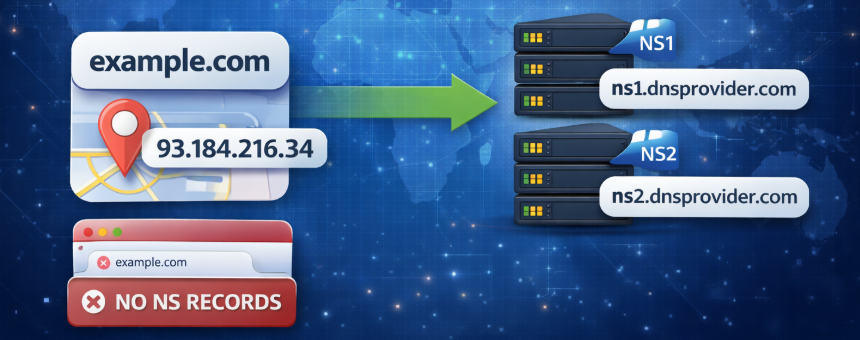
Nameserver, or NS records, show which DNS server is acting as the authoritative nameserver for your domain. Authoritative nameservers contain the final information about a specific domain and its corresponding IP address. An NS record points to all of the different records your domain holds. Without NS records, users will not be able to access your website.
Common types of DNS records
The most common types of DNS records are:
A records
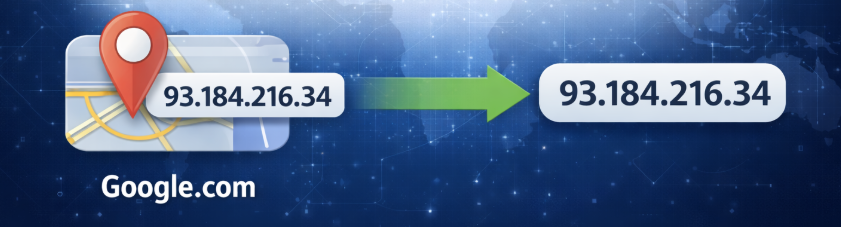
Address records, or A records, are the most common DNS records used. They create a direct connection between an IPv4 address and a domain name. IPv4 addresses have the following format: 93.184.216.34.
AAAA records
Like A records, this type of record connects domain names to IPv6 addresses. IPv6 addresses have more numerals than IPv4 address and are becoming more common as options for IPv4 addresses are running out.
🧠 What this means
When a user types example.com in their browser
DNS checks the AAAA record
It returns the IPv6 address
The browser connects to the server using IPv6
📌 Just like:
A record → IPv4
AAAA record → IPv6
A record → example.com → 93.184.216.34 (IPv4)
AAAA record → example.com → 2606:2800:220:1:248:1893:25c8:1946 (IPv6)
| Feature | A Record | AAAA Record |
| Full form | Address Record | Quad-A Address Record |
| Maps domain to | IPv4 address | IPv6 address |
| IP version | IPv4 | IPv6 |
| Address length | 32-bit | 128-bit |
| Example IP | 142.250.190.36 | 2607:f8b0:4009:80b::2004 |
| Written in DNS as | A | AAAA |
| Used by | Older + current networks | Modern IPv6-enabled networks |
| Availability | Limited (almost exhausted) | Very large (future-proof) |
CNAME records
Canonical name records, or CNAME records, direct an alias domain to a canonical domain. This means that this type of record is used to link subdomains to domain A or AAAA records.
For example, instead of creating two A records for www.example.com and product.example.com, you could link product.example.com to a CNAME record that is then linked to an A record for example.com. The value is that if the IP address changes for the root domain, only the A record will have to be updated and the CNAME will update accordingly.
How It Works (Step-by-step)
User types product.example.com in the browser
DNS sees it’s a CNAME → points to example.com
DNS then looks up example.com A record
Finds IP 93.184.216.34
Website loads 🎉
example.com → A → 93.184.216.34
www.example.com → CNAME → example.com
product.example.com→ CNAME → example.com
MX records
Mail exchange, or MX records, direct emails to your domain mail server. These records, along with an email server, allow for the creation of individual email accounts, such as user@example.com, that are linked to the domain (example.com).
TXT records
Text, or TXT records, store textual information related to domains and subdomains. Text records allow for the storage of SPF records and email verification records. DKIM and DMARC records, which are stored in TXT records, help email servers confirm that a message is coming from a reliable source.
How Do DNS Records Work?
DNS records are primarily located in zone files. With respect to DNS, a zone denotes an organizational area. It is possible for a domain to consist of a single zone. Extensive domains, however, are often divided into several zones. Each DNS server is responsible for a zone. If a client therefore wishes to activate a specific domain, it (or more specifically, the DNS server) has a look in the zone files for the appropriate records and forwards the request to a lower-level server until the final destination is reached.
